Practice Guide
The Ultimate Guide to Guitar Hand Position
Clean hand position makes chords easier, notes clearer, and practice less painful. Learn the small geometry changes that make a big difference.
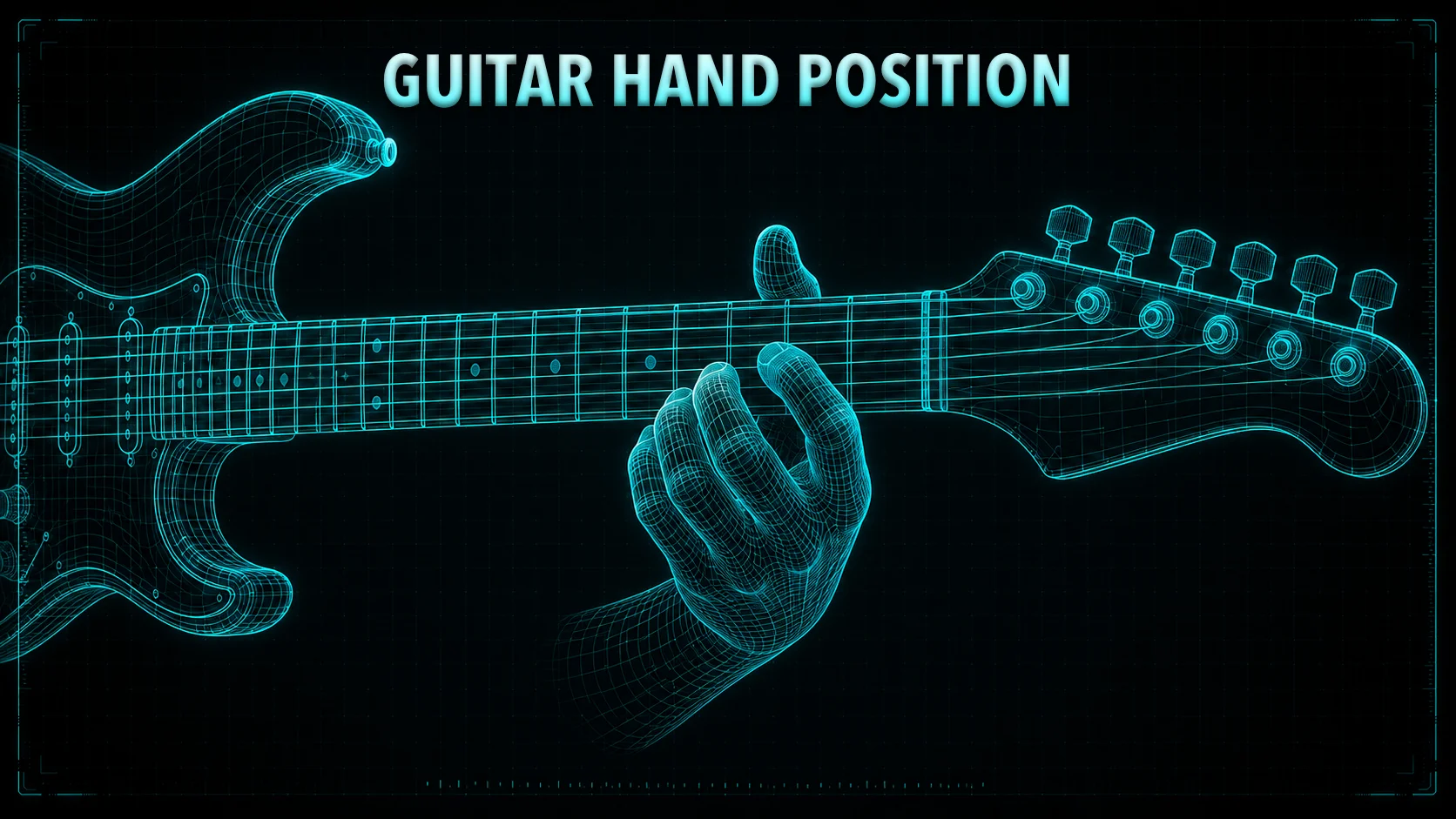
We have all had those days on the guitar where it feels like your own fingers are fighting against you. You go to play a simple chord or a scalar run, and your index finger accidentally mutes the string below it, your pinky refuses to reach its target fret, or a dull ache starts creeping into the meat of your thumb after just ten minutes of playing.
When your notes sound buzzy or your hand starts to cramp, it is incredibly easy to assume that your fingers are simply too short, too fat, or not coordinated enough to play guitar.
But here is the stress-free truth: 90% of fretboard frustration has absolutely nothing to do with the size or shape of your hands. It comes down entirely to the angles and geometry of your hand position. By making a few small adjustments to how your wrist and thumb sit behind the neck, you can instantly give your fingers more reach, eliminate accidental string muting, and play with absolute comfort.
The power pivot
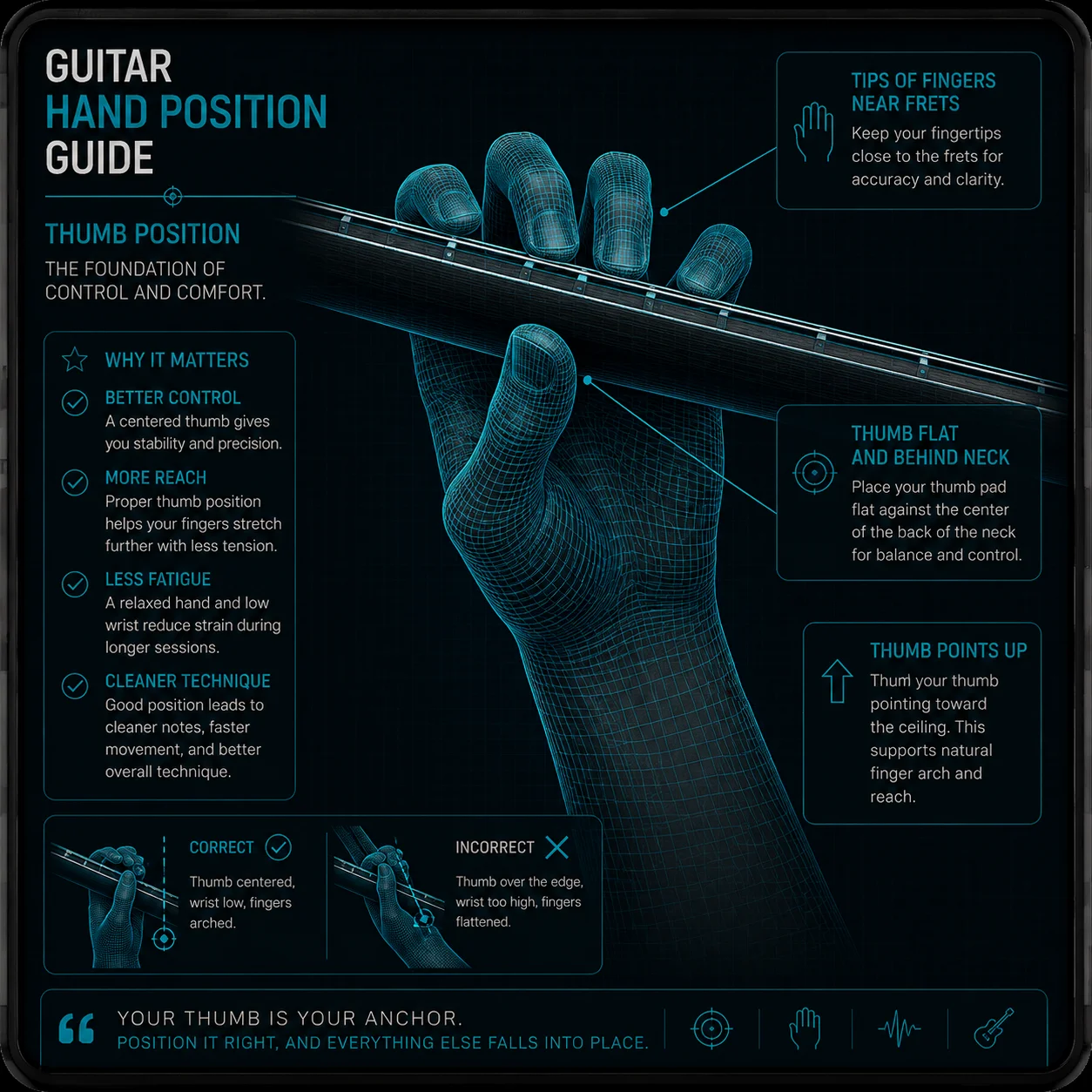
The number one cause of left-hand fatigue and muffled notes is the "Baseball Bat Grip" — wrapping your entire hand around the neck and letting your thumb hook completely over the top edge of the fretboard.
While this grip feels comforting and secure to a beginner, it locks your wrist in a collapsed position, stripping your fingers of their natural leverage and forcing them to lay flat across the strings.
Slide your thumb down until the pad is resting flat against the middle of the back of the neck, pointing up toward the sky rather than sideways toward the headstock. Think of your thumb as a pivot point. Dropping it immediately forces your wrist downward, naturally arching your fingers into clean, vertical hooks.
Play on the fingertips
When your wrist is collapsed, your fingers hit the fretboard at a shallow angle using the soft, fleshy pads. This is the recipe for accidental string noise and dead notes — the flesh of your finger will inevitably spill over and mute the neighboring strings.
Your fingers should land on the strings like small hooks, coming down at a 90-degree angle relative to the wood. The string should make contact with the very tip of your finger, right next to the fingernail — not the pad.
Front-of-the-fret advantage
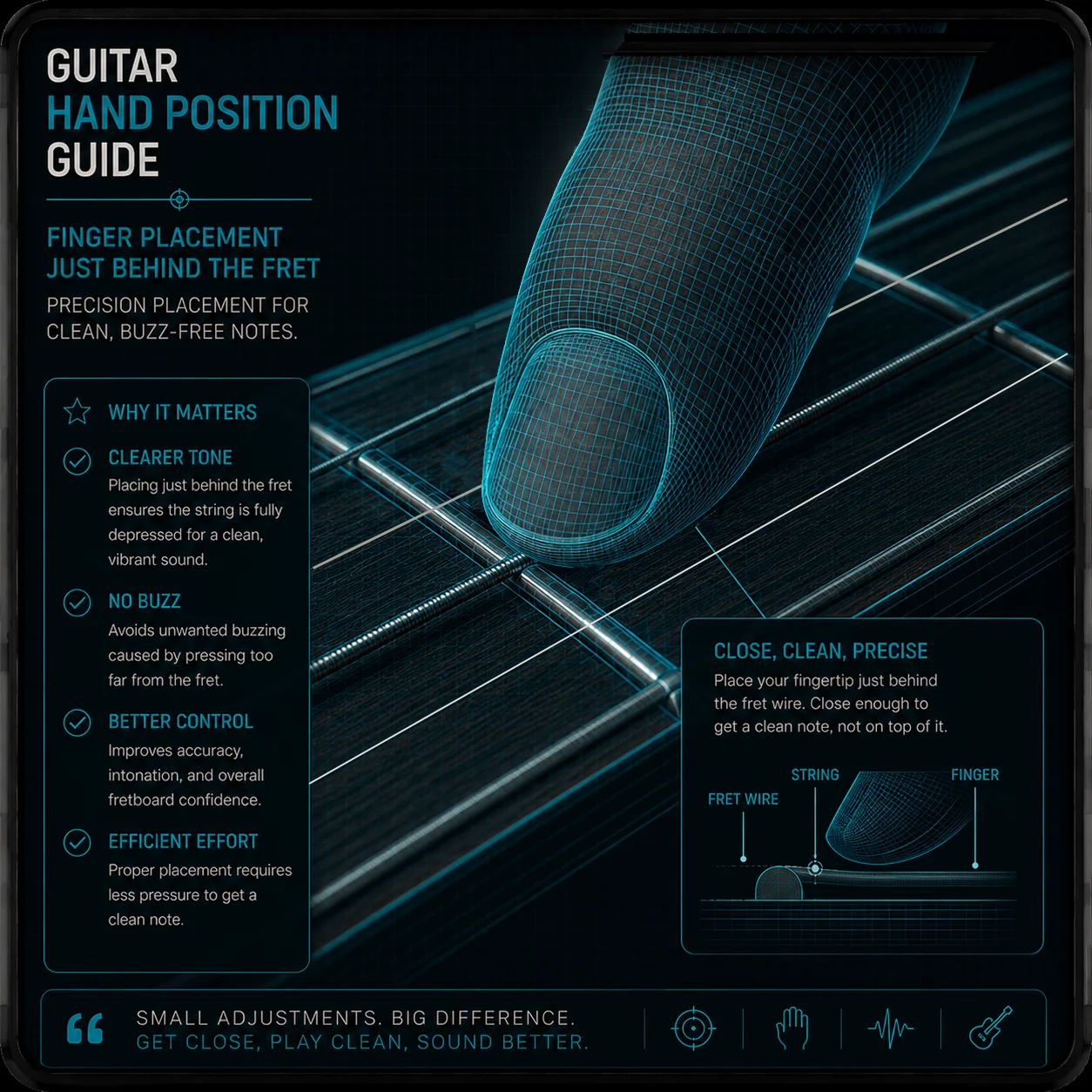
Where your finger lands inside the fret space matters just as much as how hard you press. Press too far back near the rear fret wire and the string has too much room to rattle, creating a harsh metallic buzz. To compensate, most players squeeze twice as hard — which leads directly to hand cramping.
Always position your finger immediately behind the front fret wire — as close to the metal bar as possible without sitting on top of it. This spot requires the absolute minimum pressure to produce a clear note.
Eliminate the flying pinky
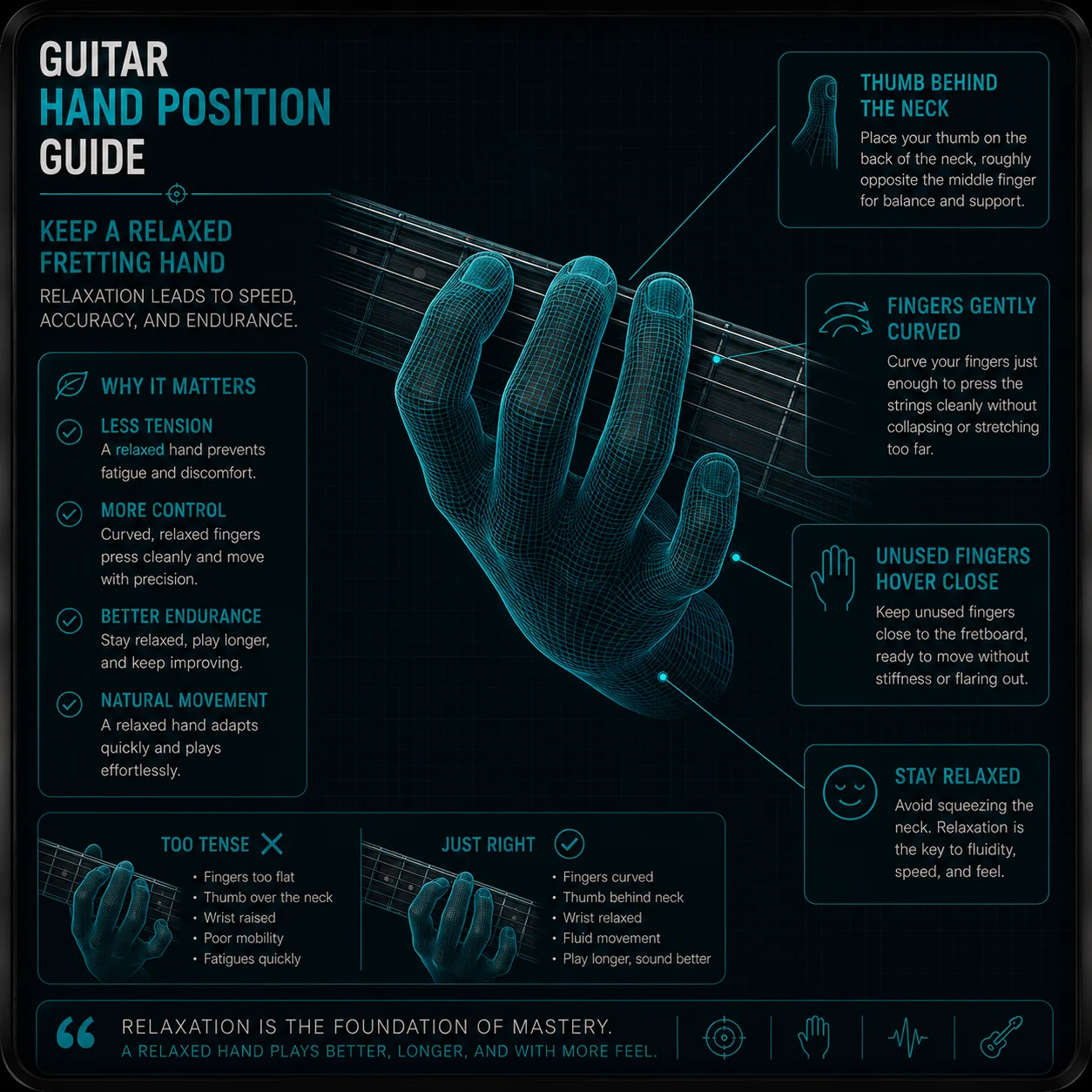
Watch your hand in a mirror while running through a scale. When your index or middle finger presses a note, does your pinky violently curl upward or flare out like a stray antenna? That is sympathetic tension, and it forces your hand to work twice as hard to bring that finger back when you need it.
Focus on keeping your knuckles completely relaxed. Your unused fingers should float quietly no more than half an inch away from the strings at all times. Keeping fingers close to home base cuts travel distance in half and instantly improves speed and transitions.
Use the CAGED Navigator
Staring at static shapes can make hand position feel abstract, especially when you are still learning how the neck fits together. The CAGED Navigator helps by showing how fretboard geometry lays out across the neck.
Instead of guessing how to position your hand to reach a chord or scale shape, you can see the layout clearly and line up your thumb pivot, finger arc, and reach before moving to the next position.

If your fretting hand feels cramped or forced, open the CAGED Navigator to see how hand position and fretboard shapes connect in real time.
Open CAGED Navigator →The Pocket Roady order
Here is the simplest workflow — start at the top and work your way down:
Drop the thumb behind the neck — flat against the center, pointing upward.
Land on the fingertips, not the pads. Come down at 90 degrees.
Stay close to the front of the fret. Less distance means less pressure and less buzz.
Keep the pinky relaxed and floating near the strings — no flying fingers.
Use the CAGED Navigator to see how hand position connects to the shapes you are actually playing.
Once your hand position makes sense, the whole neck becomes easier to play without strain.
Where to go next
If your fretting hand feels cramped or forced, the solution is usually not bigger hands or more strength. It is better geometry. Small changes in thumb position, wrist angle, and fingertip placement can make the guitar feel dramatically easier.
Ready to put cleaner hand position to work? The CAGED Navigator shows how chord shapes sit on the neck, and the Setup Assistant can tell you whether the guitar itself is making things harder than they need to be.
Hand position questions, answered
Where should my thumb sit behind the neck?
For most chord and scale work, somewhere behind the middle of the neck, roughly opposite your second finger. Wrapping the thumb over the top isn't wrong — plenty of blues and rock players live there — but it does limit your reach, so it's worth being able to do both.
Does hand position change for chords versus single notes?
A little. Chords generally want the thumb lower and the fingers arched so they clear the strings underneath. Single-note lines let you relax more and pivot with the hand. The fingertip contact and the front-of-the-fret idea stay the same either way.
I have small hands. Is this still realistic?
Yes. Reach is far more about wrist angle and thumb placement than finger length. Dropping the thumb and bringing your elbow slightly in usually opens up more span than stretching harder does. If a shape truly won't work, there's almost always a friendlier voicing for it.
My wrist aches after playing. Is my hand position the cause?
It might be. A sharply bent wrist is the usual culprit, and it often comes from the guitar sitting too low or the neck angled too flat. Try raising the neck a bit and see if the ache eases. Pain that doesn't settle with a position change is worth a real look from a professional.
Is proper hand position different on acoustic and electric?
The principles hold, but acoustics ask more of you. Wider necks and higher tension mean sloppy positioning shows up faster. If your position works on an acoustic, it'll usually work anywhere.