Practice Guide
How to Make Your Chords Ring Clean
Clean chords come from better angles, not more force. Learn how to stop muting strings and get every note ringing clearly.

We have all experienced the frustration of clamping down on a brand-new chord shape, striking the strings, and hearing thud, buzz, or dead notes. You squeeze harder, your hand starts to cramp, and yet a few strings still refuse to ring. That can make it feel like your hands are the problem.
But clean chords usually have much more to do with geometry than strength. If the fingers are angled well and placed in the right spot, the chord becomes easier almost immediately. The goal is not to press harder — it is to press smarter.
Arch the fingers
One of the most common causes of dead notes is a finger leaning too flat and touching an adjacent string. When that happens, the finger acts more like a plank than a bridge. The fix is to arch the fingers so they land more vertically.
A good chord shape usually has enough curve to leave the neighboring strings free. If a string is muted, stop and inspect the finger above it. The problem is often a small angle issue, not a strength issue.
Hug the fret wire
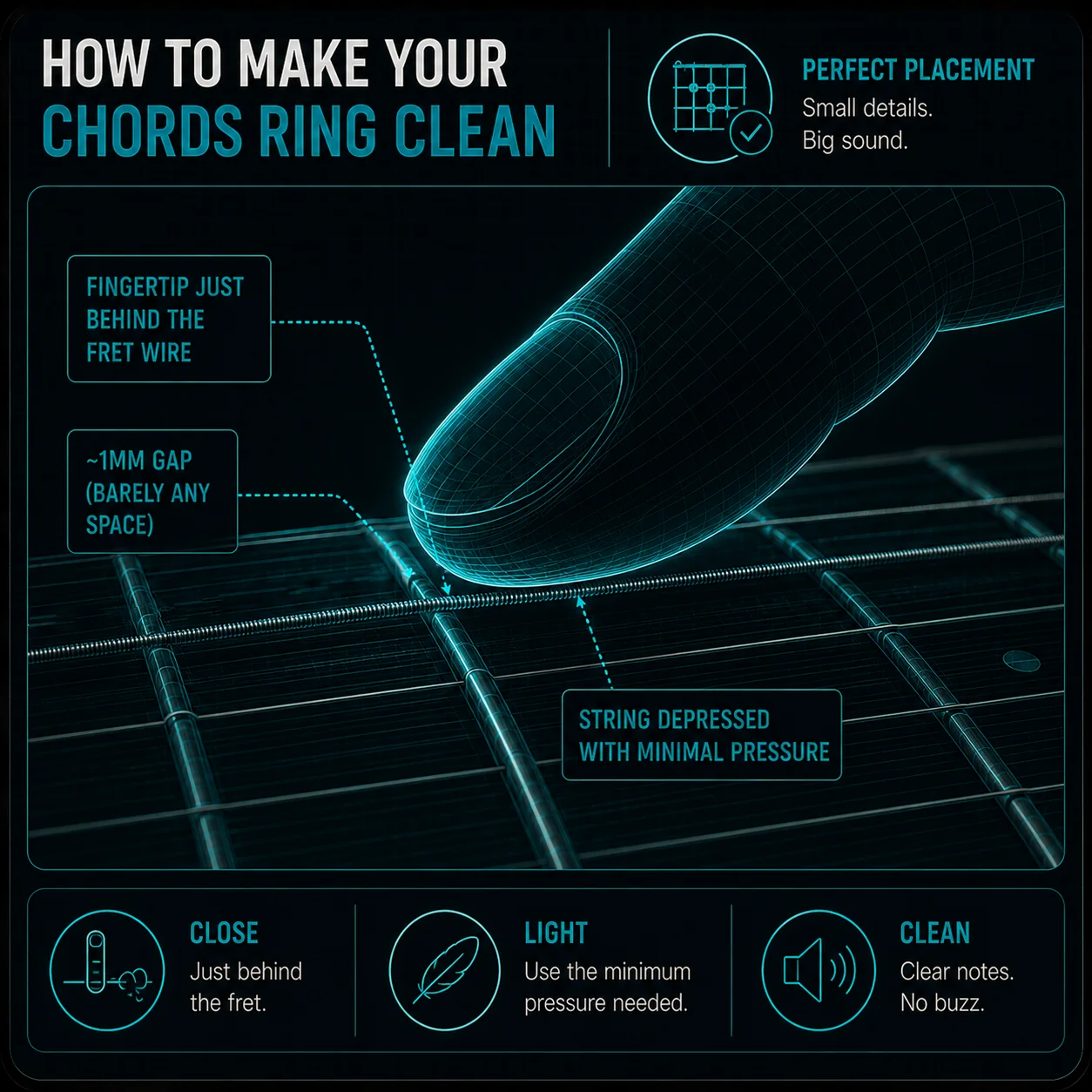
Finger placement matters just as much as finger shape. If you press too far back in the fret space, the string has more room to rattle and buzz. That forces you to squeeze harder than necessary.
The cleanest spot is just behind the front fret wire. That is where the string needs the least pressure to ring clearly. Once you learn to hug the fret, the chord often gets cleaner with less effort.
Roll the barre finger
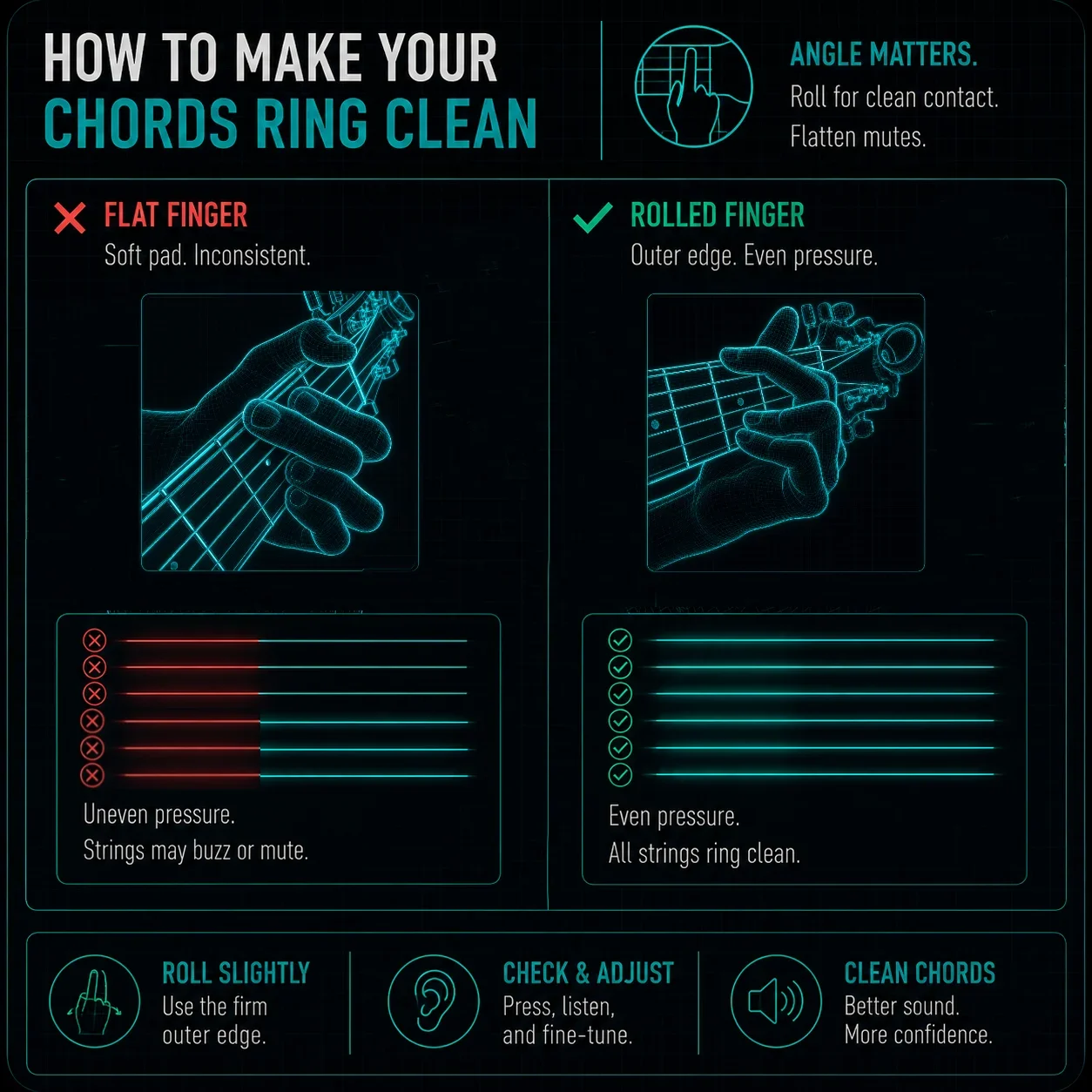
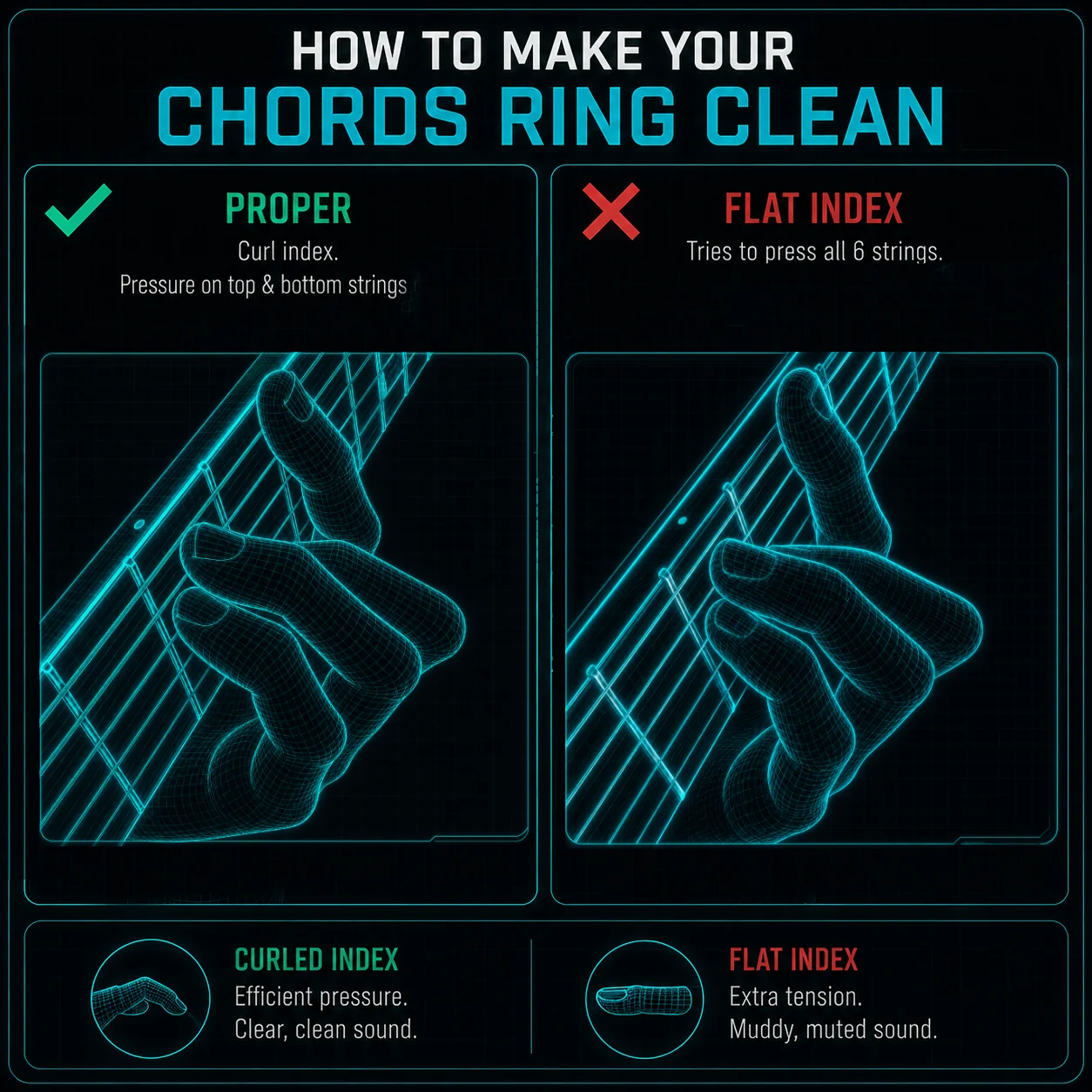
Full barre chords can be especially frustrating because the index finger is trying to cover multiple strings at once. If you press with the flat soft part of the finger, it is easy to create dead spots. Rolling the finger slightly onto the stronger outer side can help.
That small adjustment often gives the finger more structure and less collapse. It is not about brute force — it is about using the firmer part of the hand efficiently. Once that position is set, barre chords usually respond much better.
Check the setup
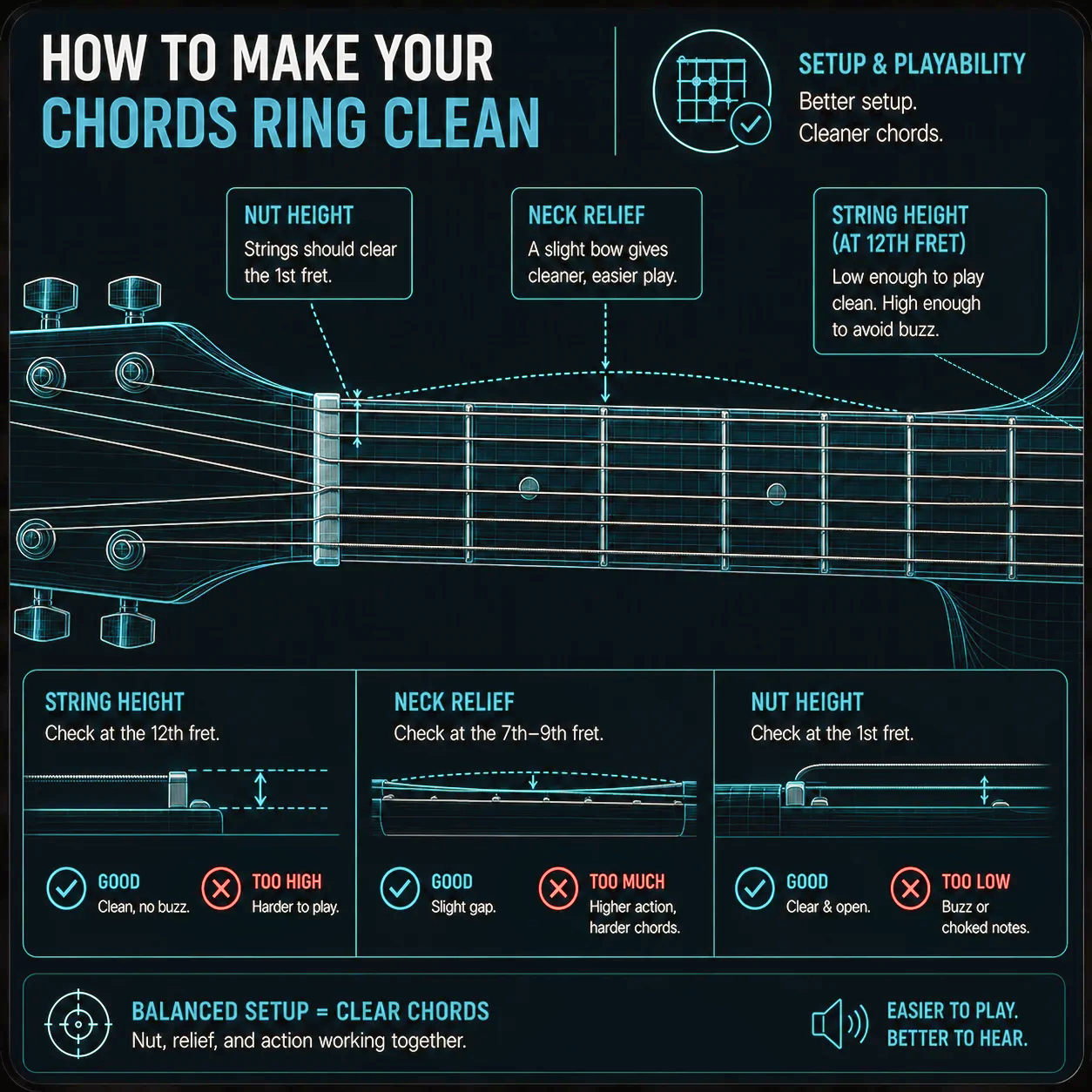
Sometimes chord muting is not only a technique issue. High action, tall nut slots, or too much neck relief can make chords harder to fret cleanly. If the guitar requires too much pressure, the hand has to work harder and mistakes become more likely.
That is why a clean chord often starts with a clean setup. If your guitar feels unusually hard to press, the Guitar Setup Assistant or Guitar Action Calculator may explain why the chord is fighting back. If the issue seems to start near the nut, the Nut Slot Helper can also be useful.
Slow practice reveals the culprit
If you are not sure which finger is killing the chord, slow practice is the fastest way to find out. Play the chord one string at a time and listen for the string that drops out. That tells you exactly where the problem begins.
This is where the Micro-Groove Metronome can help. Slowing the movement down lets you inspect your hand position without rushing past the mistake. Once you see the weak point clearly, it is much easier to correct.
Slow practice is where clean chords are built. Open the Micro-Groove Metronome and work through chord shapes one note at a time.
Open the Metronome →
Use the CAGED Navigator
Instead of guessing which notes belong where, the CAGED Navigator shows how the chord shape sits across the neck. That makes it much easier to understand where the fingers need to arch, which notes matter most, and how the chord is built.
For players who want cleaner chords without the guesswork, visualizing the shape is a huge shortcut. It turns a frustrating chord into something much easier to read and control.
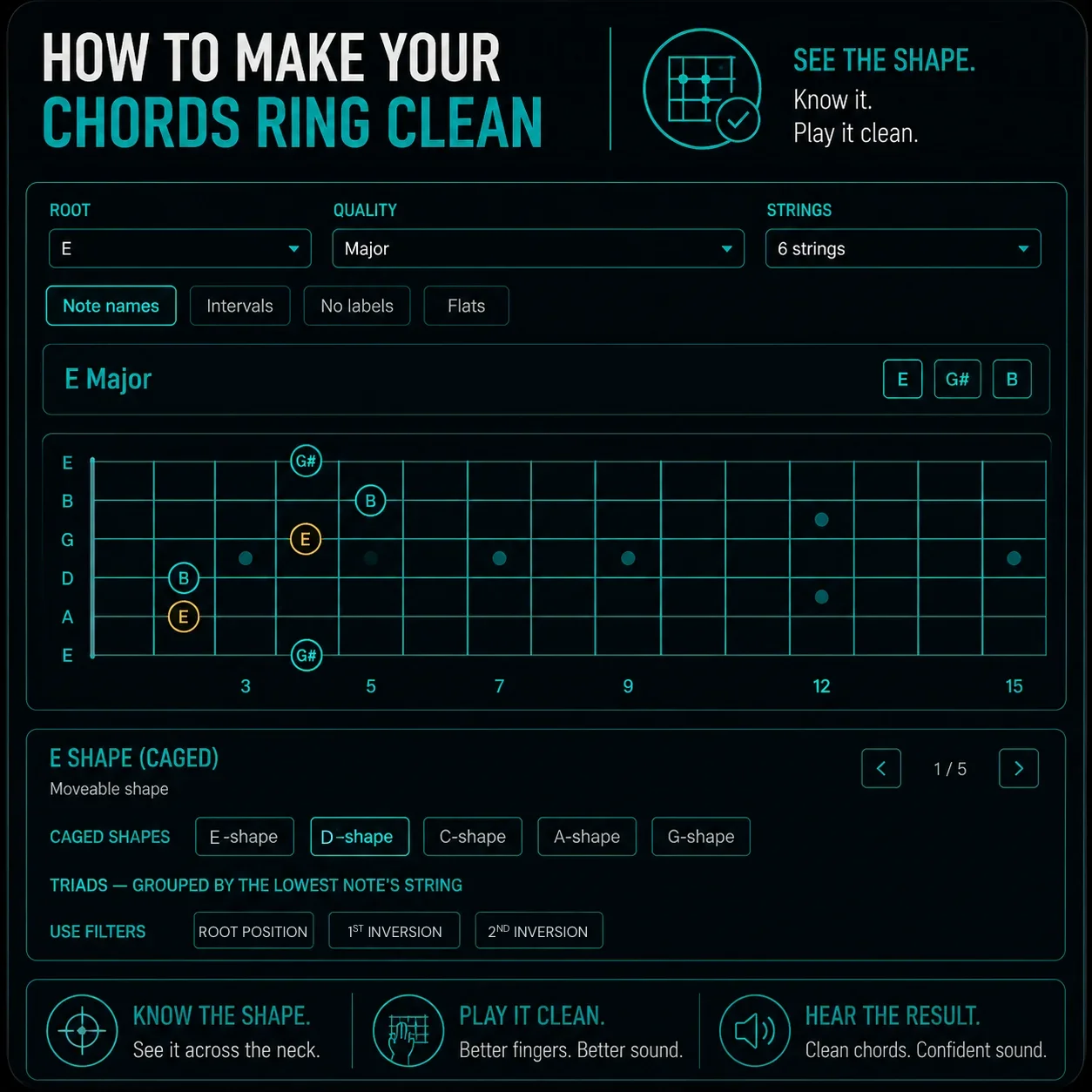
Want to see how chord shapes sit on the neck? Open the CAGED Navigator to map voicings and string sets in real time.
Open CAGED Navigator →The Pocket Roady order
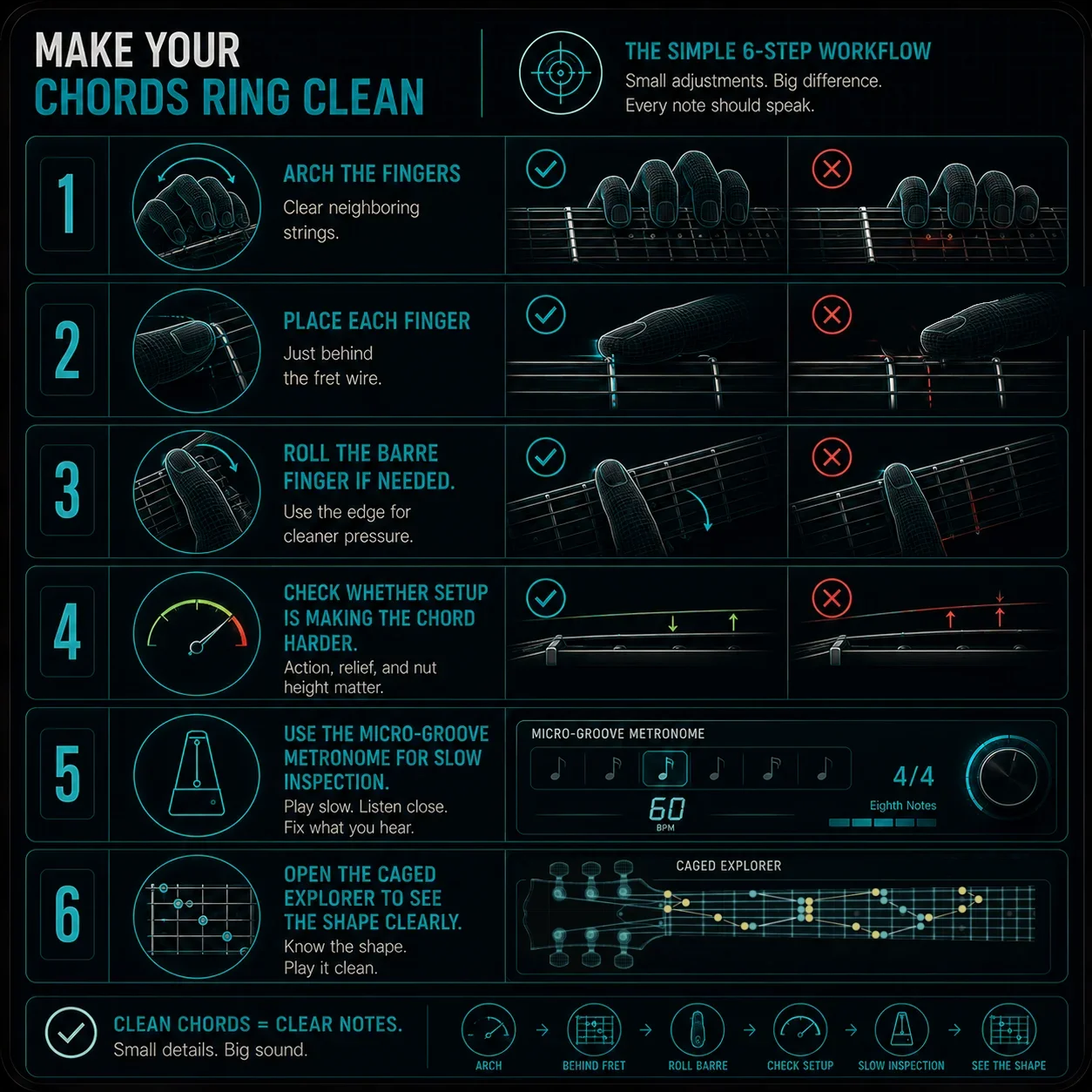
Here is the simplest workflow — start at the top and work your way down:
Arch the fingers so they clear neighboring strings. Inspect the angle, not the pressure.
Place each finger just behind the fret wire. That spot needs the least effort to ring clearly.
Roll the barre finger onto its firmer outer edge if dead spots persist.
Check whether the setup is making the chord harder than it needs to be.
Use the Micro-Groove Metronome to slow down and find the weak point string by string.
Open the CAGED Navigator to see the shape clearly and understand what each note is doing.
Clean chords are usually a combination of better hand geometry and a setup that is not fighting you.
Where to go next
If your chords are buzzing or muting, the answer is usually not more pressure. It is better finger shape, better fret placement, and a guitar setup that lets the hand work efficiently.
Want to see how chord shapes sit on the neck? Open the CAGED Navigator to map intervals, voicings, and string sets in real time — or check the Setup Assistant if the guitar itself feels like it is fighting back.